API Tokens
API tokens authenticate your requests to the Casola API. You can create tokens with different permission levels and use them from any HTTP client, the OpenAI SDK, or the Fal client.
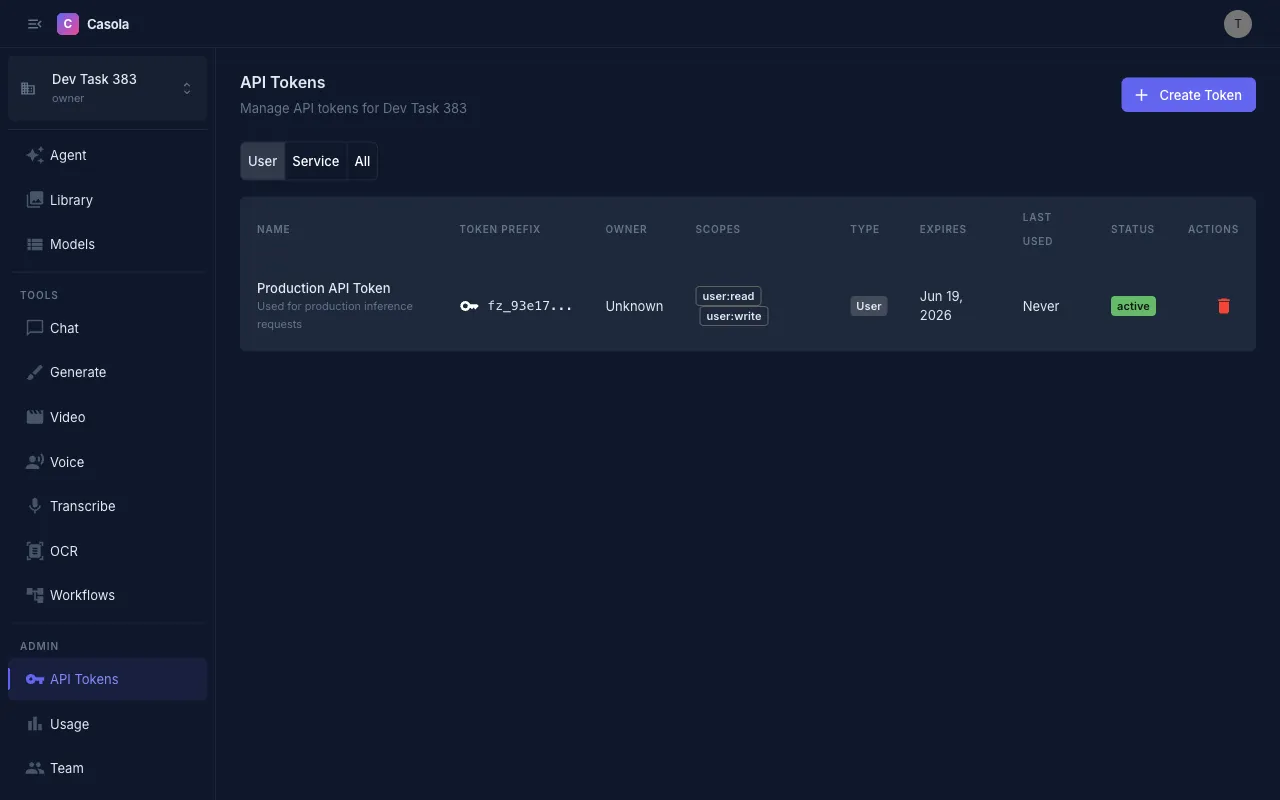
Creating a token
Section titled “Creating a token”Open Tokens from the sidebar and click Create Token.
| Field | Description |
|---|---|
| Name | A label to identify this token (e.g. “CI pipeline”, “dev laptop”) |
| Description | Optional notes about what the token is used for |
| Scope preset | Quick-select a common permission set (see below) |
| Scopes | Fine-grained permission checkboxes grouped by category |
| Expires in days | Optional — leave empty for a token that never expires |
Scope presets
Section titled “Scope presets”Presets let you pick a common permission level with one click:
| Preset | Scopes granted | Use case |
|---|---|---|
| User (Read-only) | user:read | Read-only access to jobs, models, and your profile |
| User (Full) | user:read, user:write | Submit jobs, manage workflows, update your profile |
| Admin (Read-only) | admin:read | View organization settings, members, and billing |
| Admin (Full) | admin:write | Manage organization settings, members, and billing |
For the full list of what each scope permits, see the Scopes reference.
After creation
Section titled “After creation”After you create a token, a dialog shows the token value. Copy it immediately — it is only shown once and cannot be retrieved later.
The dialog also provides ready-to-use code snippets:
curl https://api.casola.ai/api/users/me \ -H "Authorization: Bearer YOUR_TOKEN"Python (OpenAI SDK)
Section titled “Python (OpenAI SDK)”from openai import OpenAI
client = OpenAI( base_url="https://api.casola.ai/openai/v1", api_key="YOUR_TOKEN",)
response = client.chat.completions.create( model="llama-4-scout", messages=[{"role": "user", "content": "Hello!"}],)print(response.choices[0].message.content)TypeScript (OpenAI SDK)
Section titled “TypeScript (OpenAI SDK)”import OpenAI from "openai";
const client = new OpenAI({ baseURL: "https://api.casola.ai/openai/v1", apiKey: "YOUR_TOKEN",});
const response = await client.chat.completions.create({ model: "llama-4-scout", messages: [{ role: "user", content: "Hello!" }],});console.log(response.choices[0].message.content);Testing the token
Section titled “Testing the token”Click Test Token in the post-creation dialog to verify it works. This calls /api/users/me with your new token and shows whether authentication succeeded.
Token lifecycle
Section titled “Token lifecycle”- Tokens are long-lived by default. Set an expiration if you want them to auto-expire.
- The token value (the secret) is displayed exactly once — at creation. Store it securely.
- Tokens show a prefix (e.g.
csl_a3f...) in the list so you can identify them without exposing the full secret. - The Last Used column tracks when the token was last used to authenticate a request.
Revoking a token
Section titled “Revoking a token”To revoke a token, click the Revoke button next to it in the token list and confirm. Revoked tokens stop working immediately and cannot be restored.