Video Generation
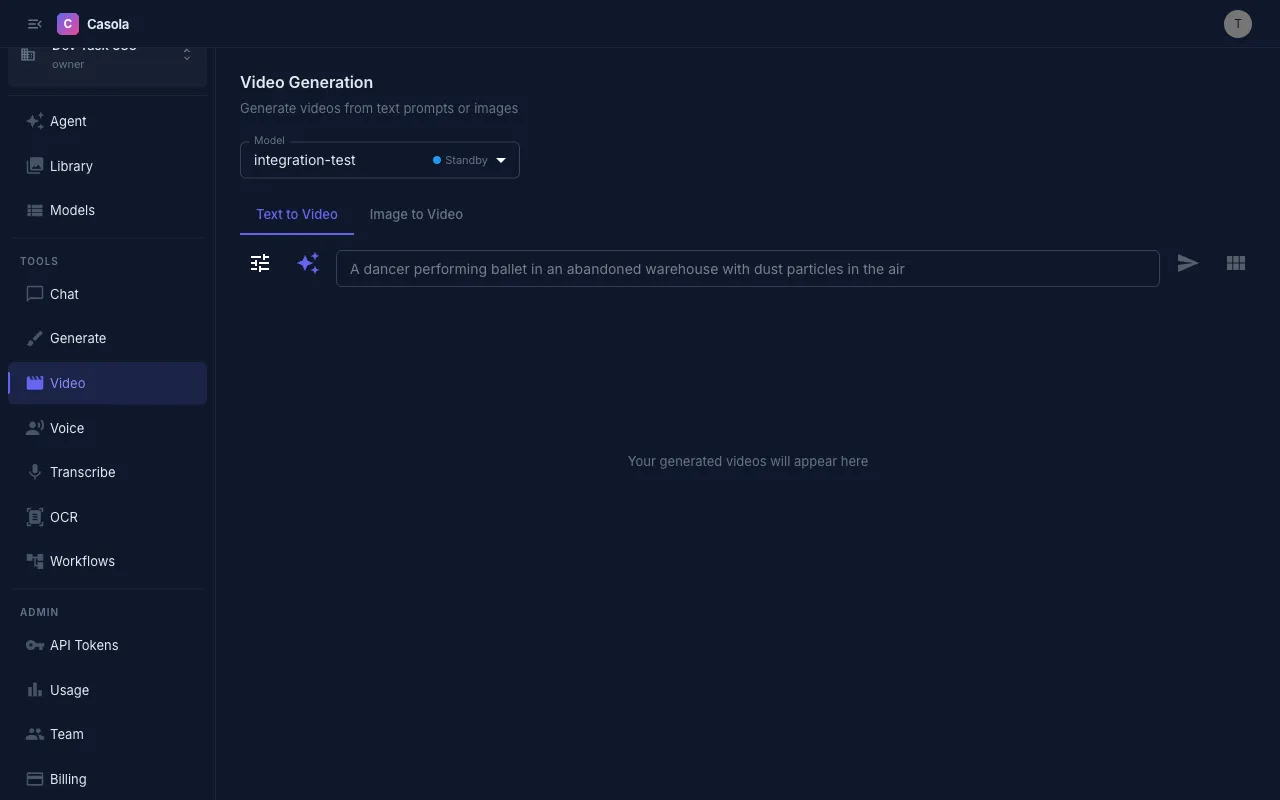
Casola can generate short video clips from text prompts or reference images. Navigate to /video in Studio to get started.
Input modes
Section titled “Input modes”Text-to-video — Describe the scene you want and Casola generates a video from scratch. Write specific, descriptive prompts for best results (e.g. “A golden retriever running through autumn leaves in slow motion, cinematic lighting”).
Image-to-video — Upload a reference image (JPG, PNG; max 10 MB) and Casola animates it. Great for bringing still photos or illustrations to life.
Quality presets
Section titled “Quality presets”Three presets control the speed/quality trade-off:
| Preset | Steps | Frames | FPS | Best for |
|---|---|---|---|---|
| Fast Draft | 10 | 41 | 16 | Quick idea validation |
| Balanced | 30 | 81 | 16 | General use |
| High Quality | 50 | 161 | 24 | Final output |
You can also fine-tune individual settings under Advanced:
- Resolution — 480p or 720p
- Aspect ratio — 16:9 (landscape), 9:16 (portrait), or 1:1 (square)
- Quality (inference steps) — 1–50; more steps = sharper detail
- Prompt strength (guidance scale) — 1–20; higher values follow your prompt more closely
- Frames — 1–300
- FPS — 1–60
- Seed — Set a specific seed to reproduce the same output
Generate all formats
Section titled “Generate all formats”Click Generate All Formats to produce three videos simultaneously — one in each aspect ratio (16:9, 9:16, 1:1). This is useful when you need content for different platforms (e.g. YouTube, Instagram Reels, and social feeds) from a single prompt.
Prompt rewriting
Section titled “Prompt rewriting”Some models support automatic prompt enhancement. When available, a toggle appears above the prompt field. Enable it to let the model expand your short prompt into a more detailed description, which often improves output quality.
Available models
Section titled “Available models”Casola currently supports WAN 2.1 T2V/I2V for video generation. Check the Models reference for the latest availability and capabilities.
Processing times
Section titled “Processing times”Video generation takes significantly longer than image generation — expect 1–5 minutes depending on the quality preset, resolution, and current demand. Higher quality settings and more frames increase processing time.
Working with results
Section titled “Working with results”Each completed video shows its dimensions, duration, frame count, FPS, seed, and inference time. You can:
- Play the video directly in Studio
- Download the file
- Reuse settings to generate a new video with the same parameters
- Copy the prompt for iteration
All generated videos are automatically saved to your Library for later access.
API usage
Section titled “API usage”Video generation always uses async mode — submit a request and poll for the result.
Text-to-video
Section titled “Text-to-video”# Submitcurl -X POST https://api.casola.ai/fal/fal-ai/wan/v2.2-5b/text-to-video \ -H "Authorization: Bearer YOUR_API_TOKEN" \ -H "Content-Type: application/json" \ -d '{ "prompt": "A golden retriever running through autumn leaves in slow motion, cinematic lighting", "num_frames": 81, "fps": 16, "num_inference_steps": 30, "guidance_scale": 7.5 }'Response (202):
{ "request_id": "req_abc123", "status": "processing"}Polling for the result
Section titled “Polling for the result”curl https://api.casola.ai/fal/requests/req_abc123 \ -H "Authorization: Bearer YOUR_API_TOKEN"Completed response:
{ "request_id": "req_abc123", "status": "completed", "video": {"url": "https://cdn.casola.ai/outputs/vid_abc123.mp4"}, "duration_seconds": 5.06, "width": 1280, "height": 720, "num_frames": 81, "fps": 16, "seed_used": 98765}Image-to-video
Section titled “Image-to-video”Animate a reference image by providing image_url:
curl -X POST https://api.casola.ai/fal/fal-ai/wan/v2.2-5b/image-to-video \ -H "Authorization: Bearer YOUR_API_TOKEN" \ -H "Content-Type: application/json" \ -d '{ "prompt": "the subject slowly turns to face the camera", "image_url": "https://example.com/photo.jpg", "num_frames": 81, "fps": 16 }'Polling with a script
Section titled “Polling with a script”REQUEST_ID="req_abc123"
while true; do RESPONSE=$(curl -s https://api.casola.ai/fal/requests/$REQUEST_ID \ -H "Authorization: Bearer YOUR_API_TOKEN") STATUS=$(echo "$RESPONSE" | jq -r '.status') if [ "$STATUS" = "completed" ]; then echo "$RESPONSE" | jq '.video.url' break elif [ "$STATUS" = "failed" ]; then echo "Job failed:" && echo "$RESPONSE" | jq '.error' break fi sleep 5done- Start with Fast Draft to iterate on your prompt, then switch to High Quality for the final version.
- For image-to-video, choose source images with a clear subject and simple background for the most coherent animation.
- Use a fixed seed when you want to compare the effect of changing other parameters.
- Keep prompts descriptive but concise — mention the subject, action, camera angle, and mood.